Core Java in One Shot: The Ultimate Core Java Cheat Sheet
A simple and structured revision guide covering all the essential Core Java concepts in one place. From OOP principles, collections, exception handling, multithreading, and file handling to JVM basics — this cheat sheet helps you quickly revise what truly matters.
1. Java Introduction
History of Java
Java was created by James Gosling and his team at Sun Microsystems in the early 1990s. Originally named "Oak," it was designed for interactive television, but the project was ahead of its time. The team pivoted, and in 1995, Java 1.0 was officially released. Its timing coincided perfectly with the explosive growth of the World Wide Web, as Java's ability to run small programs (applets) in browsers made web pages dynamic for the first time. Sun Microsystems was later acquired by Oracle Corporation in 2010, which now maintains and develops the language.
Features of Java
Java's enduring popularity stems from its robust design principles. It was built from the ground up to be reliable, secure, and portable.
- Platform Independent: Java code does not run directly on the operating system. It compiles to an intermediate form called bytecode, which runs on a virtual machine.
- Object-Oriented: Java embraces the object-oriented paradigm, allowing developers to model real-world entities using classes and objects. Everything except the primitive data types is an object.
- Robust: The language is designed for reliability. It has strong memory management, a strict type system, and comprehensive exception handling to catch and manage errors.
- Secure: Java runs inside a virtual machine sandbox, which isolates it from the underlying system. It also lacks explicit pointers, preventing unauthorized memory access.
- Multithreaded: Java has built-in support for concurrent programming, allowing developers to write applications that can perform multiple tasks simultaneously, improving performance and responsiveness.
WORA (Write Once, Run Anywhere)
This is the cornerstone philosophy of Java. When you write and compile Java code, it generates bytecode (.class files). This bytecode is not specific to any one operating system. To run it on a particular machine, you need a Java Virtual Machine (JVM) built for that specific operating system (Windows, Linux, macOS). The JVM acts as an intermediary, interpreting the bytecode into native machine code. This means you can compile your code on a Windows machine and run it without changes on a Linux server, provided a JVM is installed there.
JDK, JRE, JVM
Understanding the Java ecosystem starts with these three acronyms. They are nested layers of the Java platform.
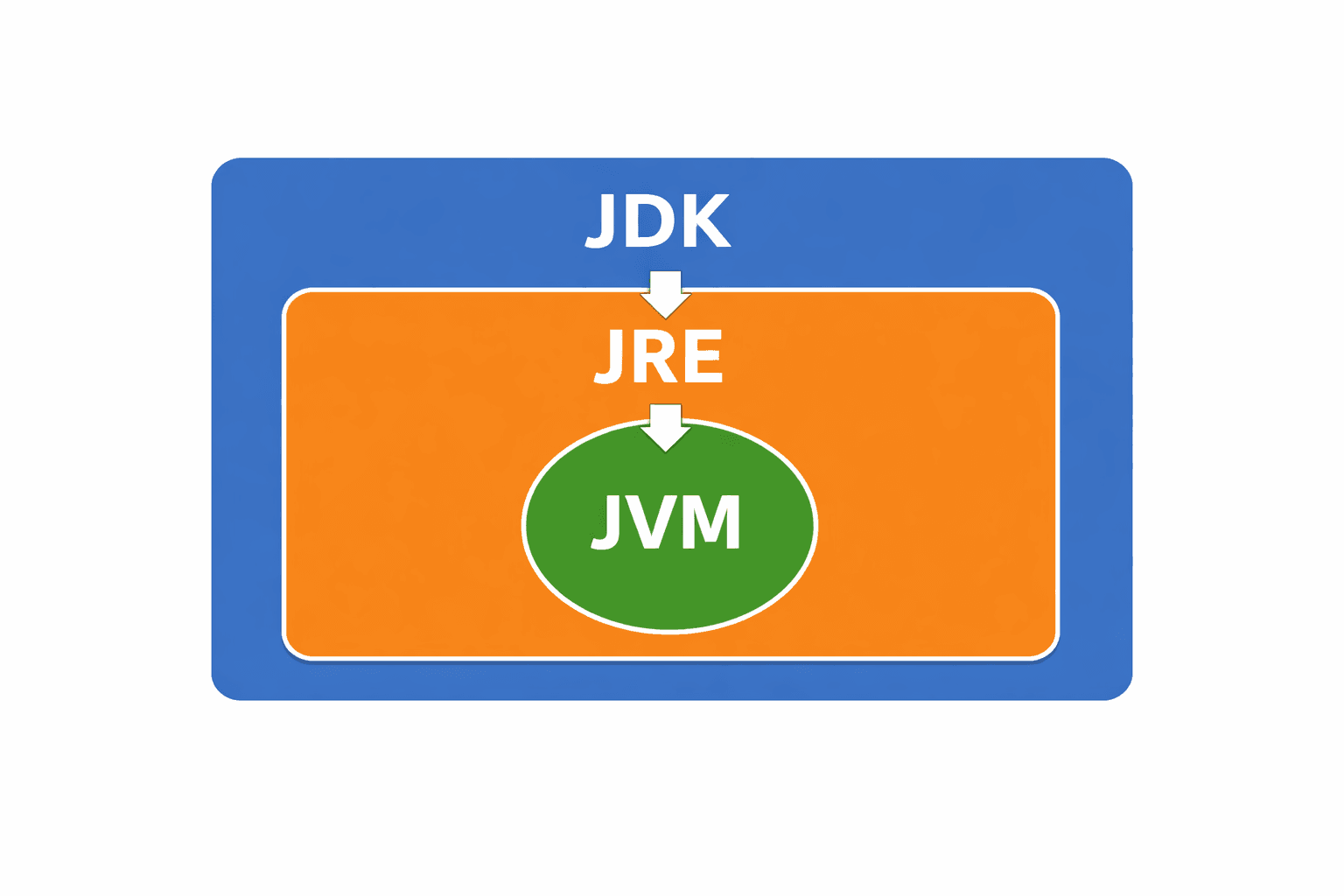
| Component | Full Form | What it Contains | Purpose |
|---|---|---|---|
| JVM | Java Virtual Machine | Runtime engine, Interpreter, JIT Compiler | Executes the bytecode. It is the runtime environment's heart. |
| JRE | Java Runtime Environment | JVM + Java standard libraries | Provides the libraries and JVM needed to run Java applications. It is for end-users. |
| JDK | Java Development Kit | JRE + Development Tools (javac, jar, javadoc) | Provides everything needed to develop and run Java applications. It is for developers. |
Java Program Structure
Every Java application has a defined structure. The JVM looks for a specific entry point to start execution.
// 1. Package declaration (optional, but good practice for organizing classes)
package com.example.myapp;

// 2. Import statements (optional, for using classes from other packages)
import java.util.Scanner;

// 3. Class declaration (mandatory - the filename must match this class name)
public class Main {

    // 4. Main method (the mandatory entry point for any Java application)
    public static void main(String[] args) {

        // 5. Statements (the actual code to be executed)
        System.out.println("Hello, World!");

    }
}
2. Java Fundamentals
Data Types
Java is a statically-typed language, meaning every variable must have a declared type. Data types are divided into two categories.